


Monster Tamer - City Builder / Unreal Engine 5 / 4 Weeks
SYSTEM Designer
TECH Designer
My RESPONSABILITY :
- Designing the core gameplay & intentions of the game
- Designing and Implementing the Build feature
- Designing and Implementing the Manage feature
- Animating the player’s characters and the creatures
Check the doc here !


WANDERLUST is the story of a castle on legs capturing creatures to look after and study them !

Hello there ! I am the system designer for this project. My main task as a system designer in this project is to design the core gameplay, the main intentions and to document it in a clear and precise way for multiple type of reader.
The originality of Wanderlust comes from the mix of genre it proposes : Monster taming and City builder. An important part of the the monster taming is the connection between the creatures captured and the player. The city builder’s features gives the possibility to reinforce that link : the player’s character can make their home, take care of them, manage them, etc... The player can see them being alive.


HANDS & INTERACTIONS


GIF HAND

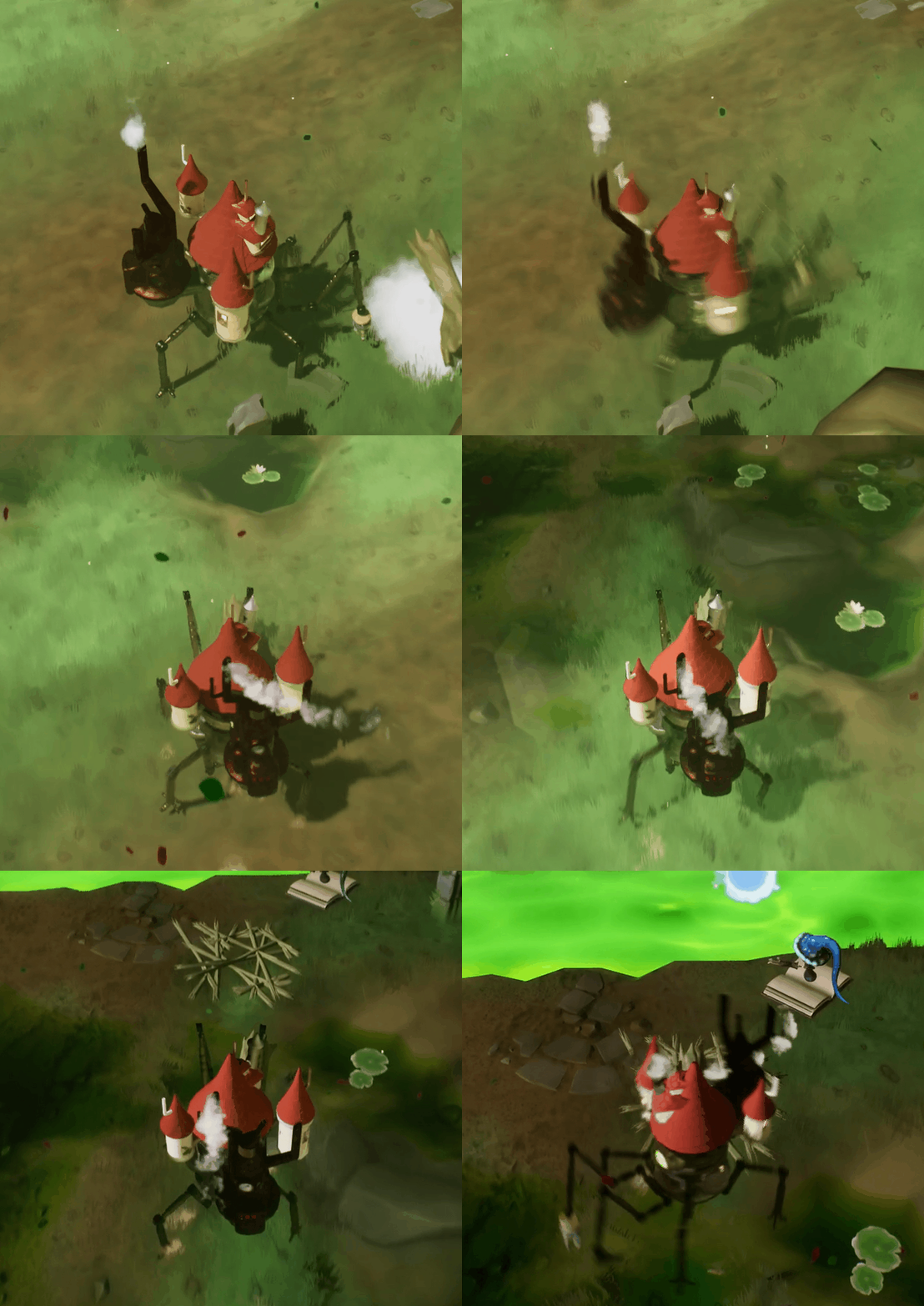
Grab & Drop with the classic hand
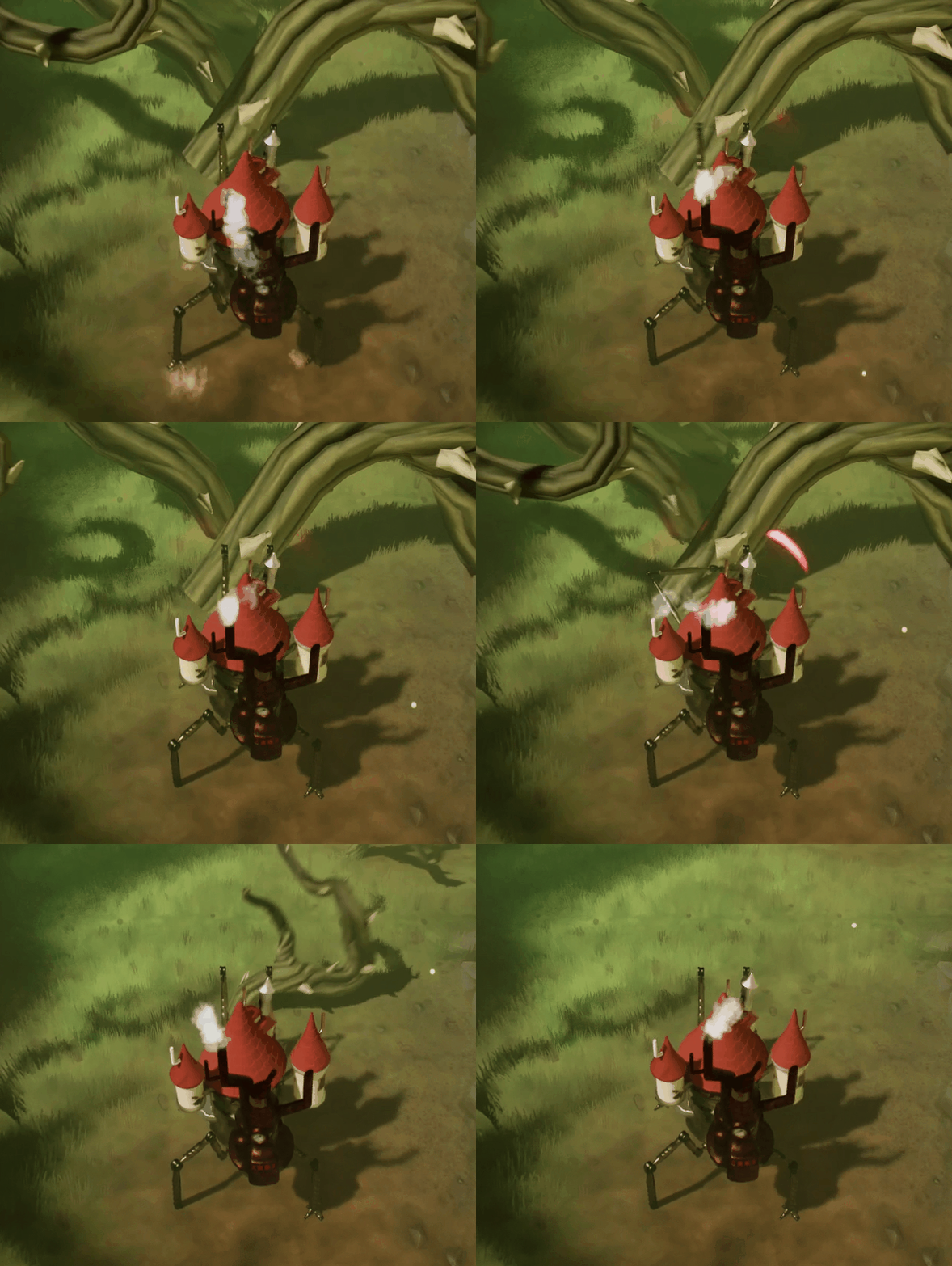
Slash with the blade hand
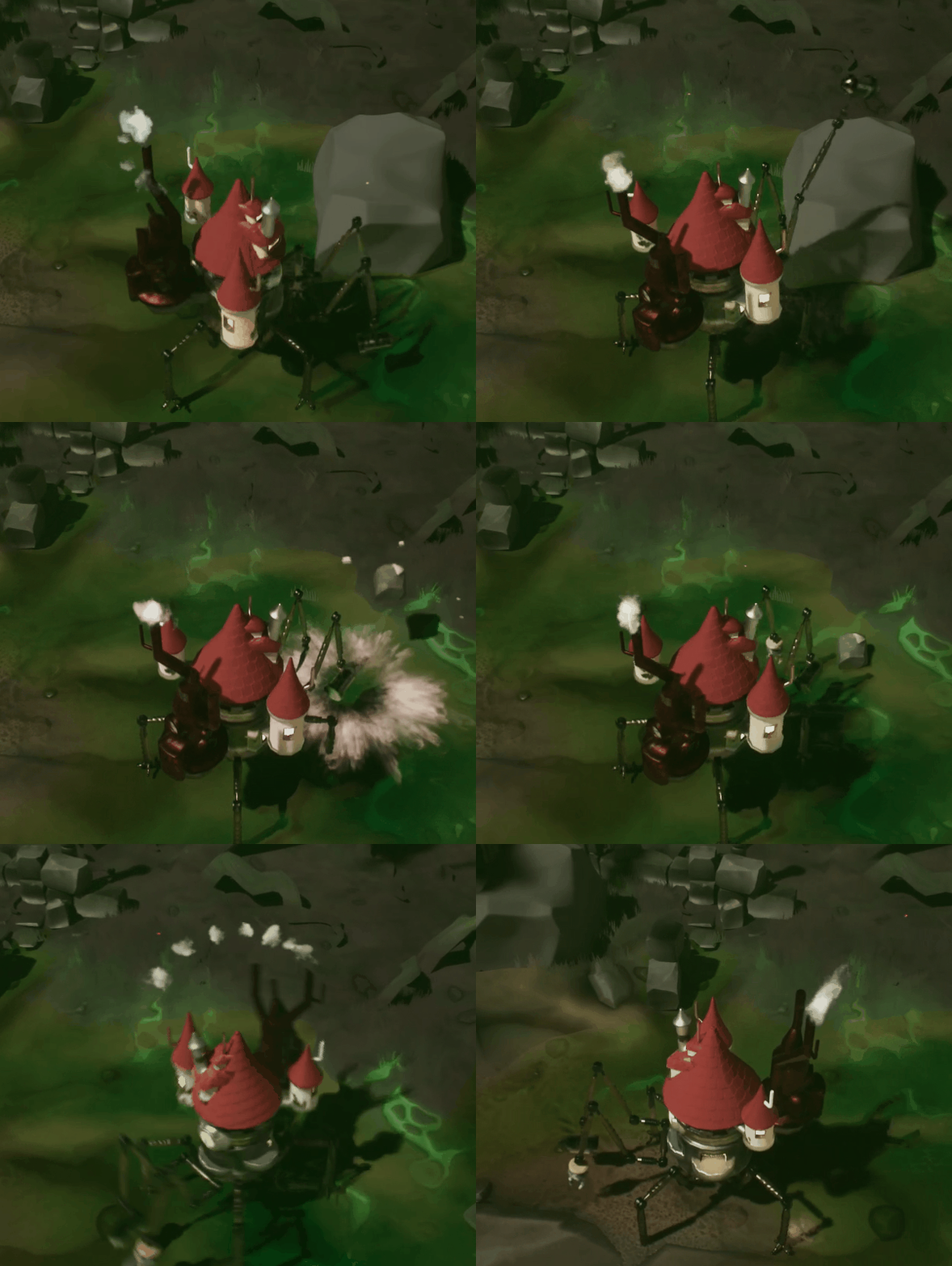
Smash with the hammer hand
The game can be divided into two main parts : The exploration and the city building. The exploration of the world in is done in a top down view where the player controls a walking castle. I wanded the player to interact with the world in different way : Getting ressources to build rooms in the city builder, interacting with creatures or the environnement, etc…
The solution i came up with is the hand mechanic : The castle has two hands that can both be controlled. Both hands can be used at the same time. Moreover, each hands can switch between multiple variations. For exemple :
- The classic hand to Grab / Store elements
- The blade hand to cut elements
- The hammer hand to smash elements
Each hand serve multiple purpose. The classic hand can grab not only ressources but also creatures. The hammer hand can be used to smash stone but also a tough creatures.


This is a brief overview about the hand mecanic. I did with NOE CHAMBRIARD the complete documentation of the project : A persona to determine our target, a High concept document to detail the concept and a feature design document to explain each feature with details.
TWO CREATURES FOR TWO APPROACHES
We wanted to proposes two different approachs to capture a creature. An agressive approach similar to most monster tamer where the player’s character must weakens the creature in combat before capturing it. The second approach i wanted to proposes is based on observation. The player’s character observes the creature, understands its behaviour, and acts based upon those informations to capture it. It doesn’t require any combat and make the creature feel alive in its environnement.
In the vertical slice, we designed two creatures : The sporcerer and the Centipede, both showing one approach. The sporcerers are non-aggresive and trying to make a bridge but do not suceed. Understanding their problem and helping them build it is the way to capture them. On the contrary, the centipede is hostile to us and the sporcerer. I intended to show that via a real time event where the centipede eats a sporcerer. Moreover, He attacks on sight. The player must fight it before capturing him.
For this vertical slice, we couldn’t use premade humanoid animations (& rig) since the player’s character and both creatures are not human. So i made with blender a rig for each of them and multiple animations based on our need : movement, attack, interaction, Real-Time Event, etc…


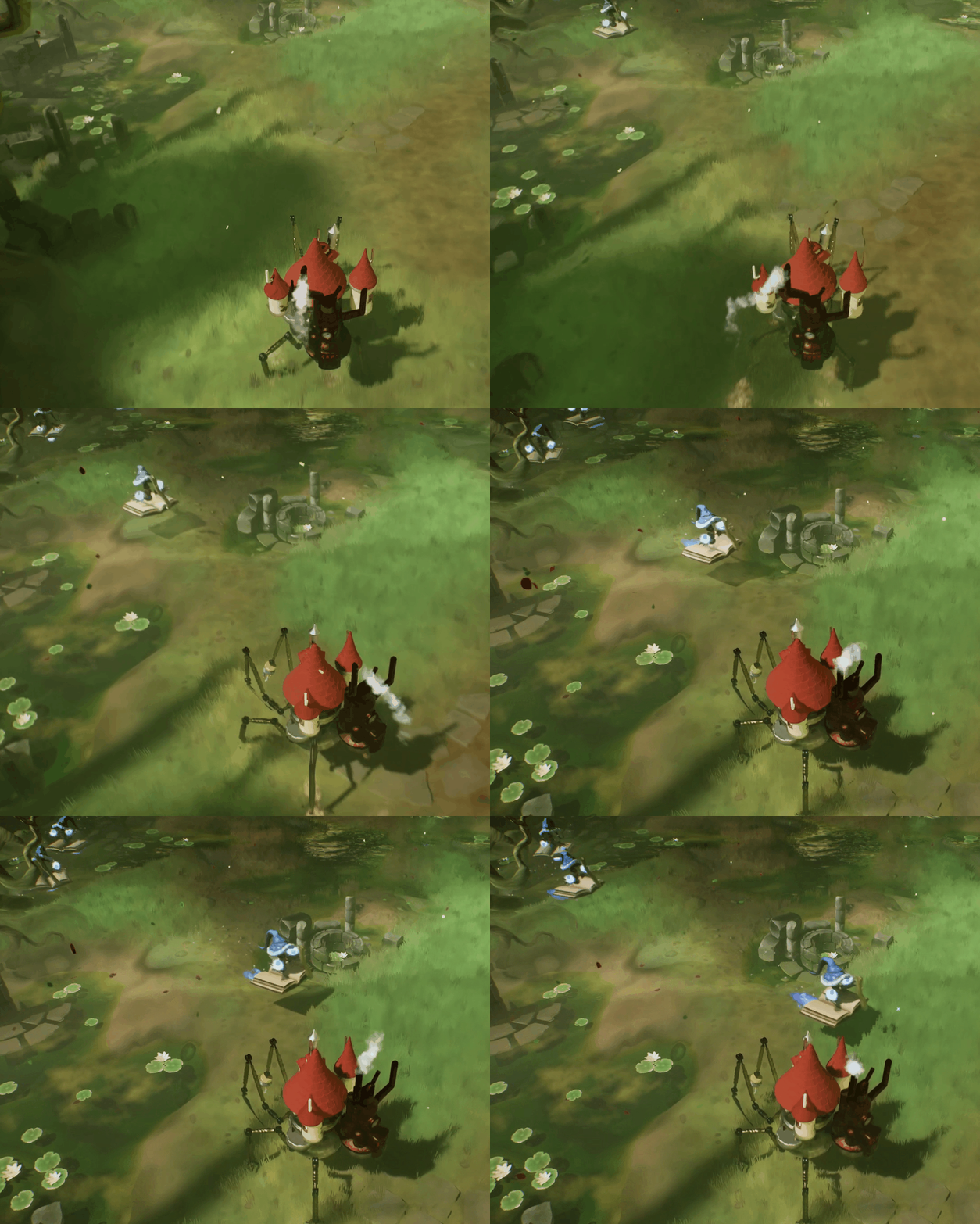

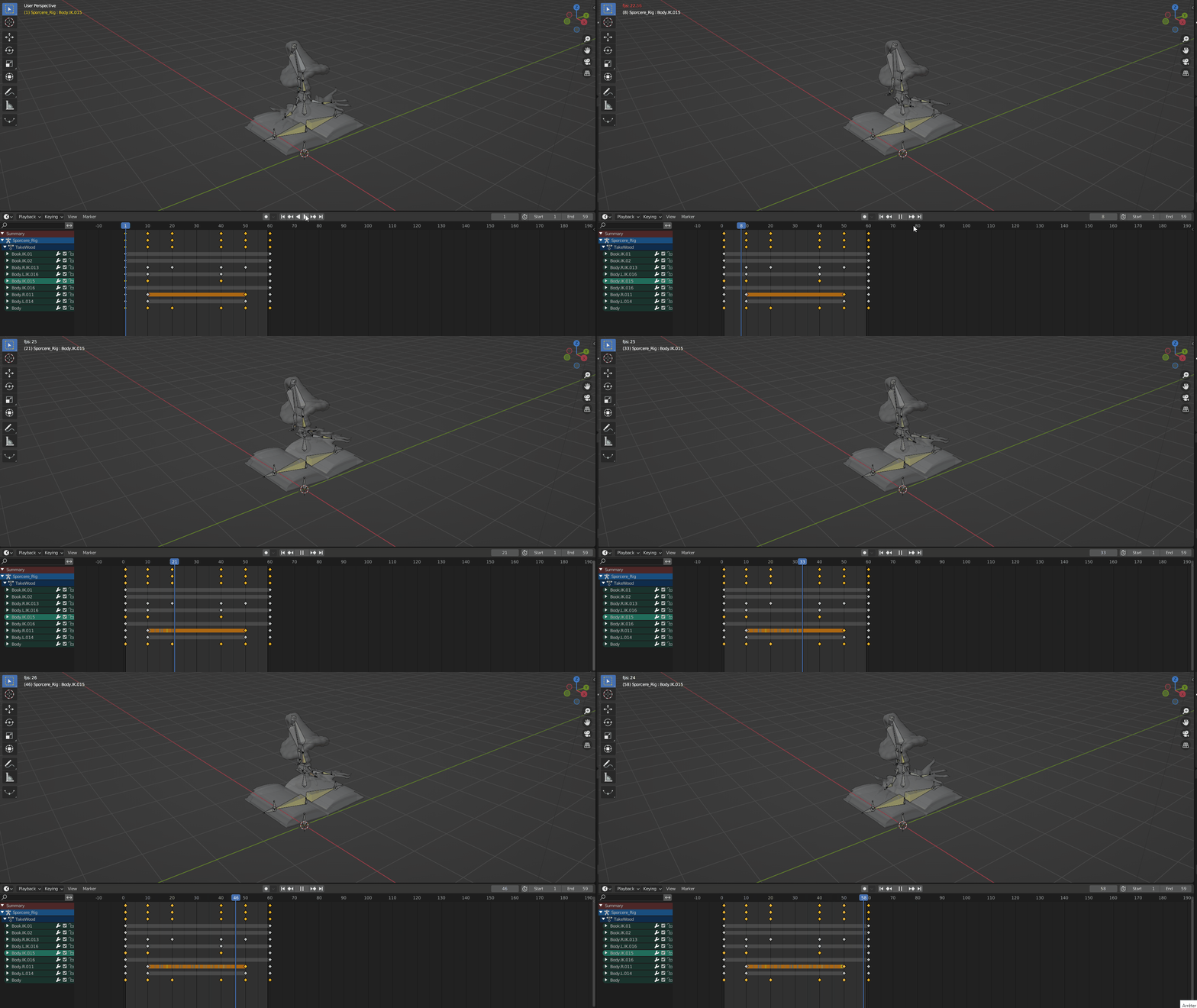
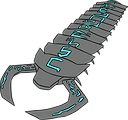
Player's character & Sporecerer
Sporecerer animation on blender
CITY - BUILDING

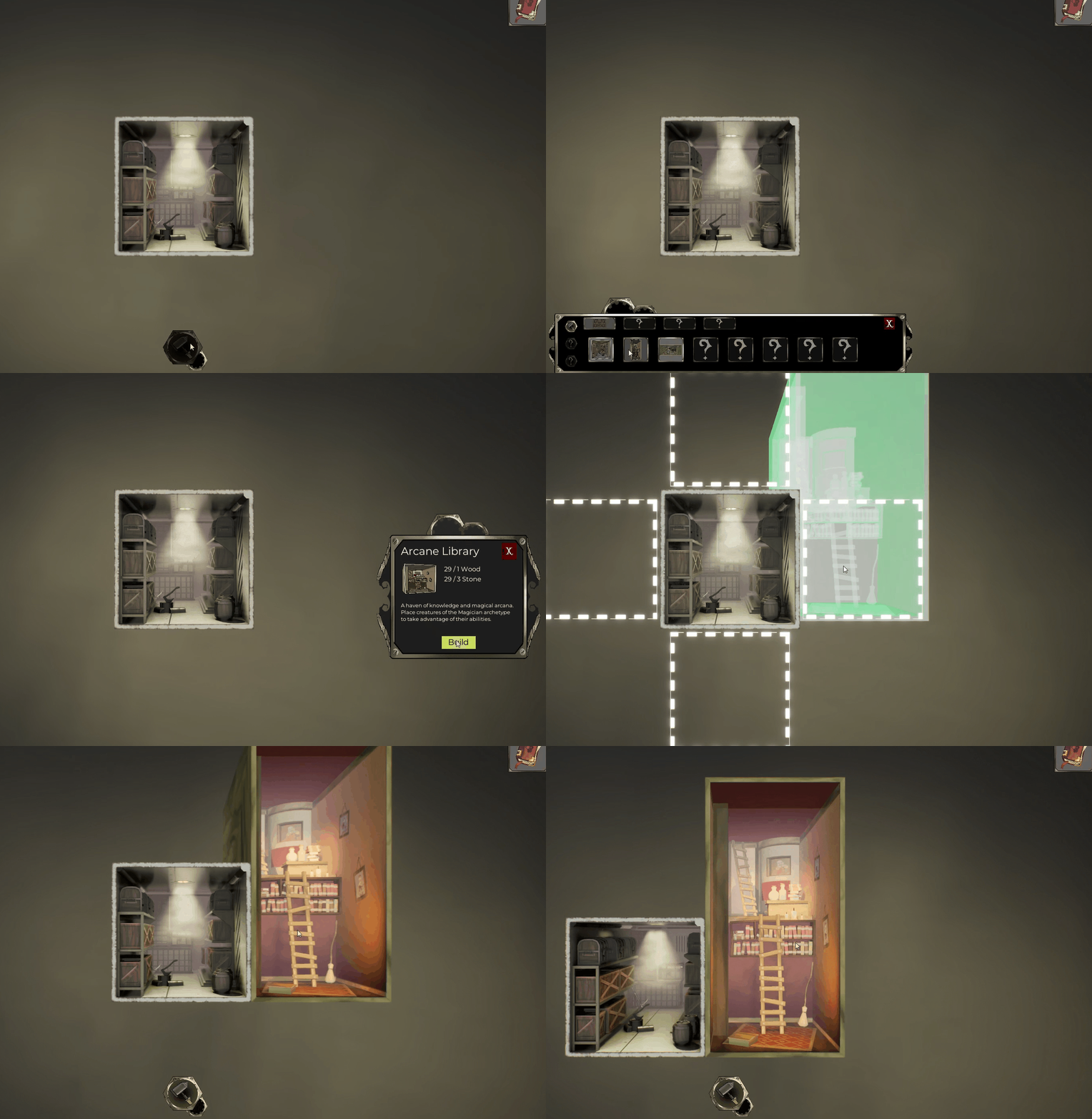
Building a room

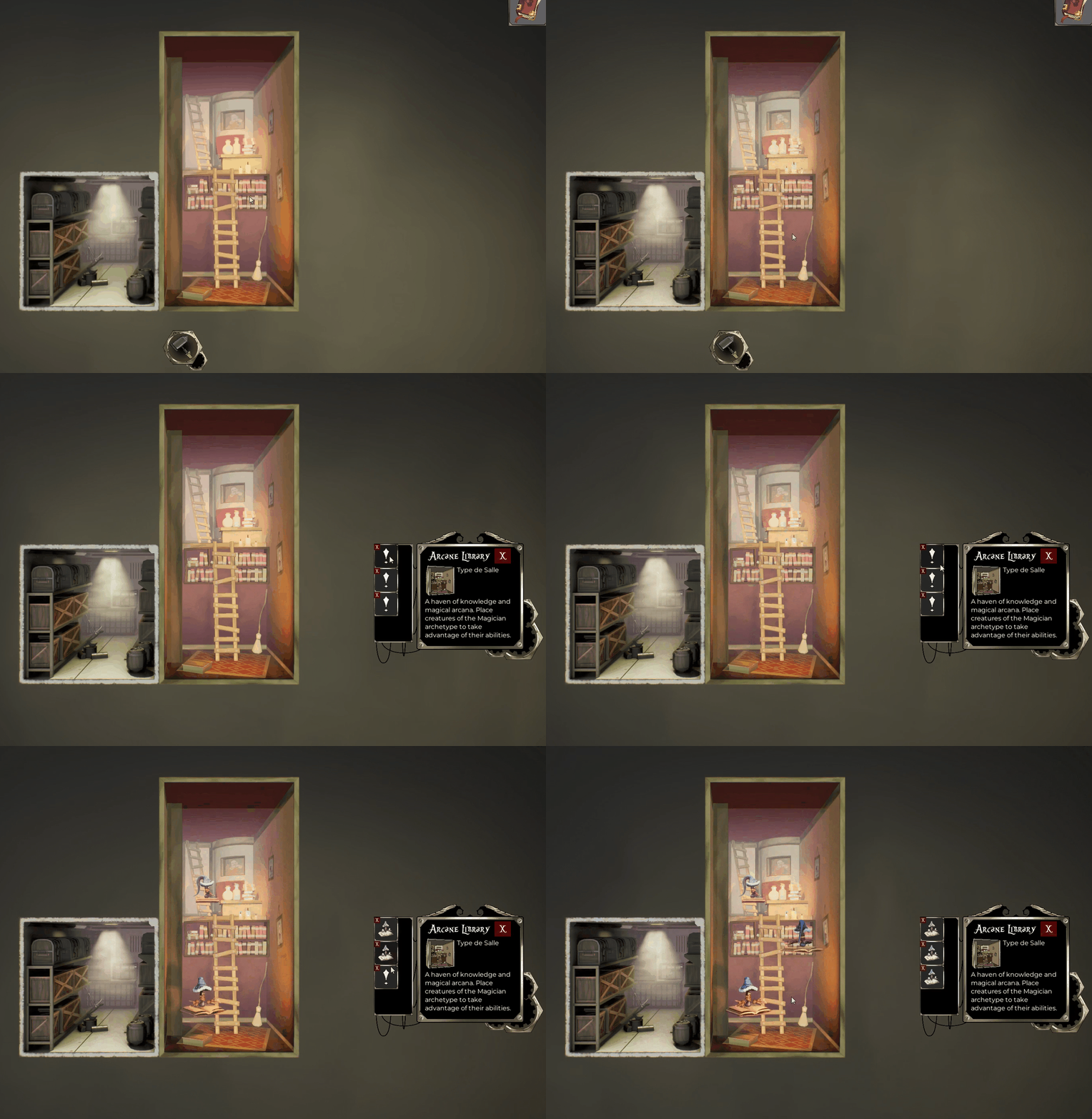
Affecting creatures to a room
The second main part of Wanderlust is the City-builder. When a creature is captured, it is welcomed into the castle (The player’s character)
I wanted the camera to be in a 2D-Side view because it acts like a section plan of the castle and it is easier to visualize / organize. Since we are inside the castle, the player’s character do not build buildings but rooms. There is two creatures in the vertical slice, so i wanted at least two rooms to welcome them in their own place, mimicking their environnement. I want the player to manage its creature, so i designed a third room : the storage room. This room is here to temporarily welcome creatures before putting them in a room adapted to them.
We did the vertical slice on unreal engine 5. With the help of blueprint, I coded the city builder part of the project and minor mechanics of the monster taming parts like the thorn wall. I also implemented a cheat menu to help debug the vertical slice and to help us in case something goes wrong in a presentation.
MULTIPLE PRESENTATIONS
Wanderlust had to be presented multiple times in front of students and external persons to pass selections. I had to make three presentations for the projects, each one showing its evolution as new members were joining it and bringing new ideas. In the first presentation, I wanted to present the core concept. With the addition of two game artists, the second presentation also focus on the art direction. The third one is an introduction to the vertical slice.

3min presentation - Solo

5-10min / 2 Game designer - 2 Game art

10-15min with vertical slice / 6 Game designer - 5 Game art
OVERALL, I DID :
// I designed the core gameplay loop and the pillars of the game
// With another designer, I created a High Concept Document to document all the informations about the project :
-
General informations
-
Intentions
-
Gameloop
-
Feature's explanation
-
UX
-
Narrative overview
// I designed three editor presentations to explain the concept of Wanderlust
-
The first presentation aim to pitch the core concept of the project
-
3 min / Solo
-
-
The second one also details the target art direction
-
10min / 2 game designers & 2 game artists
-
-
The last one wraps everything up and introduce the vertical slice
-
15min / 6 game designers & 5 game artists
-
// Using unreal engine's blueprints, i did:
-
The city builder's features :
-
Build and destroy rooms
-
Capture creatures
-
Assign creature to room
-
Upgrade the player's character via research
-
-
Level elements :
-
Bramble that block the path
-
Bridge to build (in the world, not in the city-builder)
-
-
A Cheat menu to make debugging and testing easier
-
Add or removing creature at will
-
Teleport in the level
-
Unlock upgrade instantly
-
Invincibility
-
// Using Excel & Google Forms, i did:
-
A test guide
-
Functionnality tests
-
A playtest forms
// Using blender, i did all the animations for the project:
-
The player's character's animations
-
Idle / Movement
-
Using hand / knife / hammer
-
-
The creatures animations
-
Sporcerer
-
Idle / Movement
-
Taking
-
Channeling
-
-
Centipede
-
Idle / Go into ground
-
Attack
-
-
A special animation where a centipede eat a sporcerer
-
-
Rambles spreading out
GAME DESIGNER
Dijoux Kevin
UI / Level Designer


Ferretti Enzo
Level Designer
Bourachot Quentin
Producer
Fort Théo
Tech Designer
GAME ARTIST
El Houaradi Sarah
3D / Tech Artist
Lecomte Maelys
3D / 2D Artist
Torkmani Alex
2D / Chara Artist
Chalancon Bastien
3D / Level Artist
Chambriard Noé
System / Narrative Desiger

Bory Robin
3D / 2D Artist


